Photo Notes A place to talk about making images.

February 10, 2010

Buying Camera Gear

Filed under: Photographic Equipment — John Siskin @ 1:36 am


Branded 2 468x60

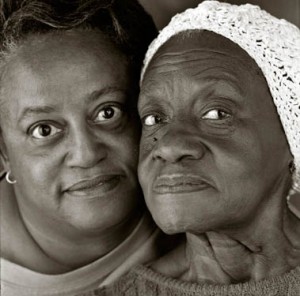
Shot For Aids Walk, Los Angeles

One of my first big opportunities in photography was selling cameras at a store in Santa Barbara: Russ’ Camera. Russ Eckerstrom took a risk on me and I hope I gave him good service. I learned a lot there, not just about photography. I leaned about buying and selling and serving customers: the kinds of things that have been important in my business as a photographer. The store is still in business up in Santa Barbara.

When I came back to Los Angeles and started my business I needed suppliers that were local and would carry the products I had to have. I was in a camera store every couple of days looking for film, Polaroid or chemicals. I dealt with a lot of stores that provided these products, but often the service was bad. Too often the sales people felt they needed to tell me they could do my job. I don’t like spending my money and having some guy behind the counter feel he needs to compete with me. Of course there were a few great sales people over the years, but they mostly left camera sales.

What I learned at Russ’ and saw in many stores is that camera sales is a tough business. I’ve seen a lot of stores die in the last few years, so I know this is especially true after digital. The mark-up on gear is low, the market competitive. It used to be that a lot of money was earned on photofinishing, but this too has taken a big hit. I particularly miss the stores that have a lot of junk; I do a lot with junk. You might check out my article on building cameras.
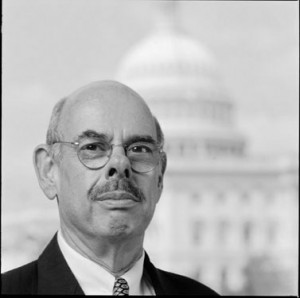
Congressman Waxmand shot for Aids Walk, Los Angeles

I want to recommend that you do business with Calumet Photographic. I have been buying stuff from them since about 1984. I used to pour over their catalog, and I learned a lot from that book. For me, a great supplier has the little things that make everything else work. I remember needing several 40.5mm to 52 mm step up rings: Calumet had them, in stock. When I need a camera battery or a gel for my lights I can get it at Calumet. When they opened a store in Hollywood, there was only one problem for me; it wasn’t in the San Fernando Valley. I can go in their store and actually see the products. The sales people treat me like I might know something. I have dealt with many big stores including a couple of the stores in New York. I don’t look forward to buying from them again. But I do hope to do more business with Calumet. I should also say that every employee I have dealt with at Calumet has been knowledgeable, which is good, and a nice person, which is better

Calumet is now associated with this site. I am very happy about this. If you would like to support this blog please visit Calumet through the link on this page. If you think I am being unreasonably nice I suggest you visit some large camera stores in Los Angeles and New York.

As always, I hope you will check out my classes at BetterPhoto.com:
An Introduction to Photographic Lighting
Portrait Lighting on Location and in the Studio
Business to Business: Commercial Photography

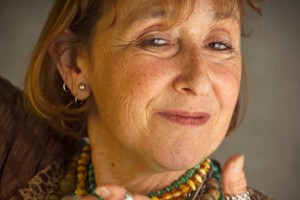
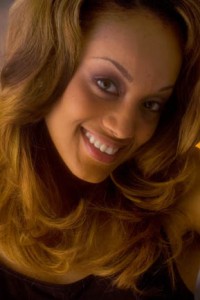
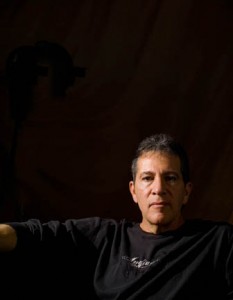
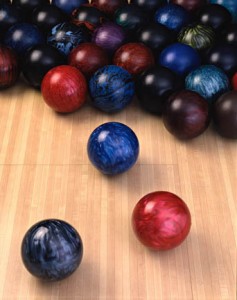
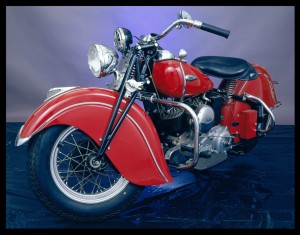
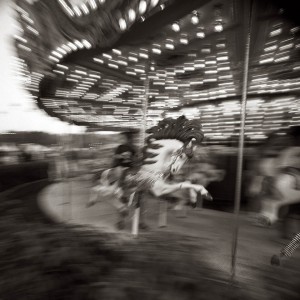
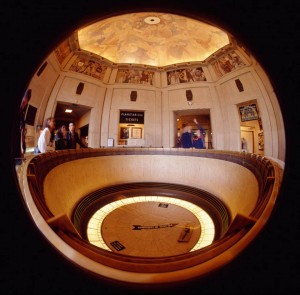
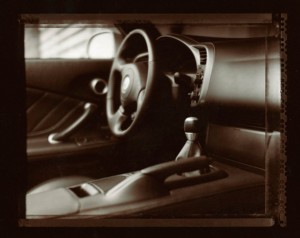
The pictures this time are just a few I like. They are linked to my site
Thanks, John
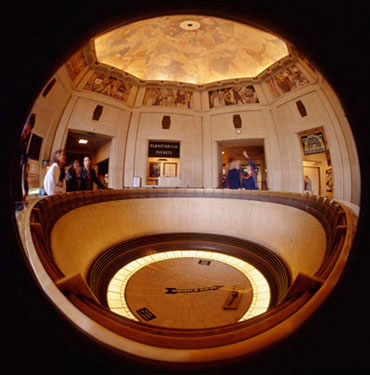
Shot with my 4X5 fisheye camera.
Branded 2 468x60

February 1, 2010

A New Tool For Lighting Space

Filed under: Architectural Lighting,Lighting Technique — John Siskin @ 8:25 pm
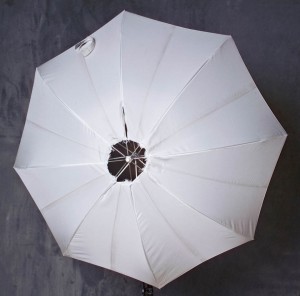
Modified Umbrella

Modified Umbrella

If your goal is to light a human face you are talking about controlling light on about one square foot of surface area, if you are lighting head to toe, or even a small group, you are not talking about that much area. When you are trying to light a room you may be talking about thousands of cubic feet of space. The problems are not unrelated, but the solutions are going to be very different.

One of the most important tools in lighting people or product is the large light source. If you have a light source that is very large, and close to the subject, you can create soft shadowless light. The light seems to come from many directions, like the light on an overcast day. Of course this is because the light does come from every point on the surface of the light source, whether the light source is an umbrella, soft box or light panel. So lighting with a large light source can be relatively simple, since the position of the light is not as critical as with a small light source. As the subject gets bigger you need an increasingly large light source to accomplish the same thing. If you light a motorcycle (http://www.youtube.com/watch?v=pqEfShhW5pA) a large light source might be about 20X9 feet. But if you are lighting a room a large light source would need to be approximately as big as the room.

Since I haven’t seen a lot of soft boxes you could live in, or an umbrella that could keep the entire Mormon Tabernacle Choir dry in a rainstorm, I think that the only way to achieve a large light source in an architectural setting is to bounce the light off a wall or ceiling. This will work quite well if the surface you bounce off is white or close to white. The other concern, with the ceiling, is to keep light off, or nearly off, any part of the ceiling that is in your shot. I suppose you could bounce light off a large piece of seamless paper if your walls or ceilings weren’t white, but that sounds like it might be difficult to set-up. You could also repaint the room, but I don’t think that this solution is very practical. A bounce light will also cause reflections, but reflections from large light sources are not as bright as those from small light sources.

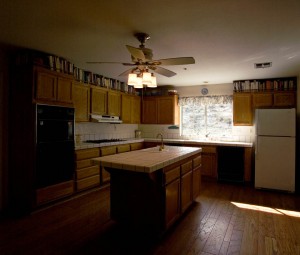
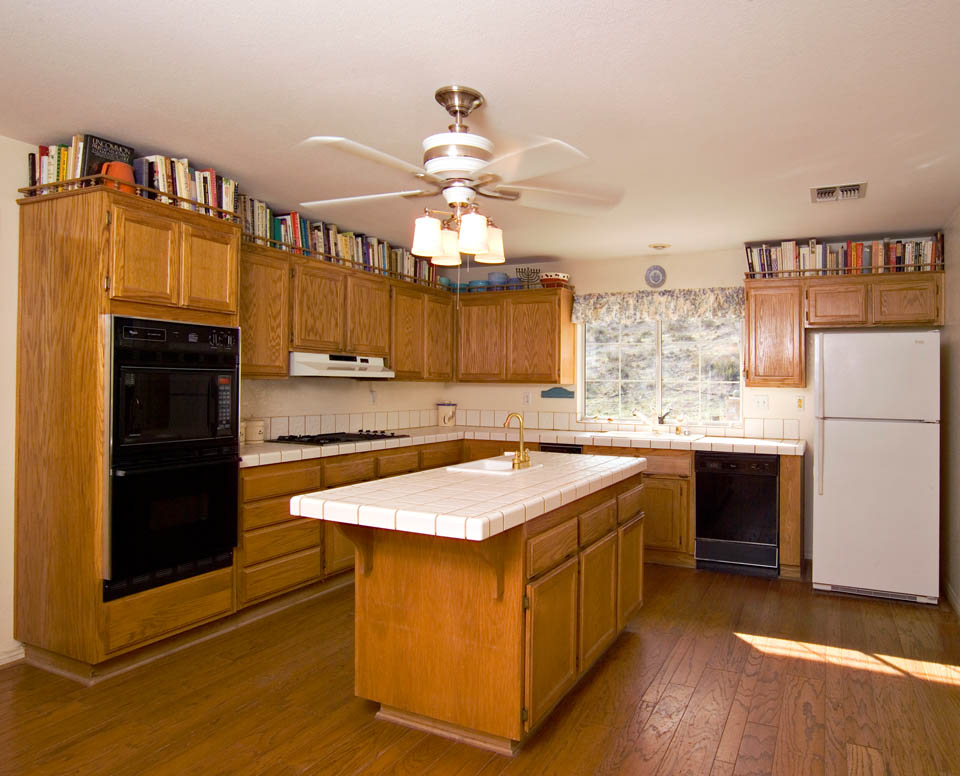
Recently I saw the way one of my students used an umbrella on a room shot. She pointed a shoot through umbrella at the ceiling. There was light all over the room and the ceiling from just one light. Of course there was not as much light as one would like bouncing off the ceiling, because the light had to go through the umbrella. I wondered what it would look like if you could bounce light off the ceiling and get light from the side of an umbrella. So I modified a white umbrella, by putting a hole in the center. I had to sew around the edges of the hole. The hard light went through the center of the umbrella and the umbrella diffused the light on all sides. This is a 360º light, so you get bounce fill from all over the room. The light worked wonderfully well. I have attached a before and after photo.

Without the new light

Without the new light

With the modified umbrella!

With the modified umbrella!

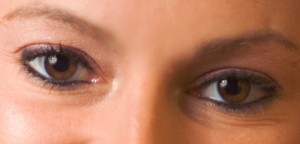
Of course I had to see what would happen with a portrait. The results on this test were less wonderful. The light needs to be place precisely, because it works as a hard light. In addition, since there is more hard light than soft light, the result is not really flattering to all subjects. Still the catch lights looked very fine.

Catchlights from the modified umbrella

Catchlights from the modified umbrella

I have a picture on page 58 of the New Yorker this week, I hope you’ll check it out. I also hope you will also check out my classes at BetterPhoto.com:

An Introduction to Photographic Lighting

Portrait Lighting on Location and in the Studio

Business to Business: Commercial Photography

January 22, 2010

The New Book & The Next Book

Filed under: Lighting Technique,My Books! — John Siskin @ 6:15 pm

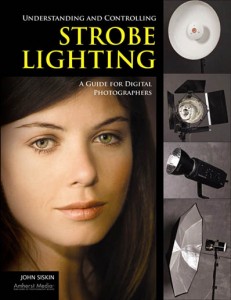
coverI want to just include an update of my publishing projects. My first book, now titled Understanding and Controlling Strobe Lighting, A Guide for Digital Photographers is due out in the fall. I’ve attached a copy of the cover. Of course I’ll post ordering information as soon as it is available. My publisher Amherst Media has accepted the outline for my second book. This is tentatively titled: Lighting spaces, a photographers guide to lighting architecture, commercial and other big spaces with flash and ambient (light)

As I begin work on this book I have realized that this will provide some wonderful opportunities for teaching. If you are interested in learning architectural lighting please send me an e-mail at john@siskinphoto.com. There will be very few spaces for each location, so give me some idea of your interests. I will include a teaching session with each shoot, so you should have a complete experience.

I will also have an article about architectural photography in Photo Technique Magazine in the May/June issue. I am very excited to be included in the updated version of Photo Techniques Magazine. You can see a couple of my previous articles about architectural lighting at these links www.siskinphoto.com/magazine/zpdf/LocationLighting.pdf and www.siskinphoto.com/magazine/zpdf/Arch_HDR&Strobe.pdf You may have to right click and choose save page as to download these articles. To see more of my articles visit: www.siskinphoto.com/magazinearticles.php

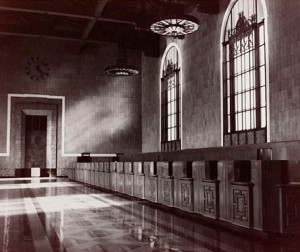
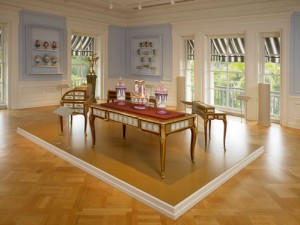
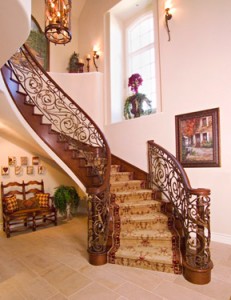
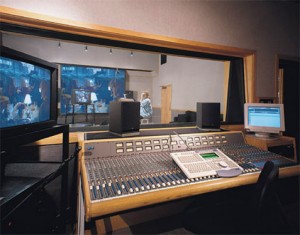
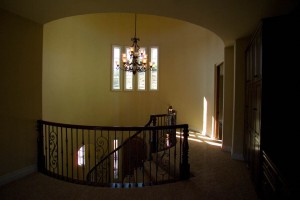
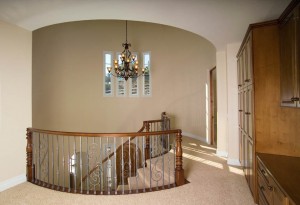
I’ll finish up this week with a few of my favorite architectural photos. All of these images are linked to larger versions on my site. Thanks, for your attention! John Siskin

Union Station #1

Union Station #1

A room at the Huntington Library

A room at the Huntington Library

stair2 soundstudiobigcopy

January 8, 2010

The Right Exposure or the Right Light?

Filed under: Basic Photo Technique,Lighting Technique — John Siskin @ 10:33 pm

Getting a good exposure is important, but getting the right light is MUCH more important. Digital cameras make this much

This is what the shot looked like without strobes. It is the right exposure, but the wrong light.

This is what the shot looked like without strobes. It is the right exposure, but the wrong light.

easier than ever before! People often rely on a meter when they should look at what they are doing. But even when I shot film for a living I didn’t rely on the meter, I relied on the Polaroid instant images I made with the camera. I suspect part of the difficulty is that it is frightening to turn the meter off and rely on your eye and proof image and histogram, but now that we have these tools we should not be so afraid to turn off the meter.

In teaching classes I keep trying to find ways to say that you have to move into the land BEYOND metering. When you use a strobe meter you get a response that tells you how to make a middle density, but the meter doesn’t tell you how to make it look right. There is no automatic way to make it look right, only the application of brains can do that. When I make a shot with strobes and a digital camera, the first thing I do is to put the camera on manual. The camera meter can’t read strobes, except for the proprietary strobe. So the camera meter is useless. I do not use a hand held strobe meter, as it doesn’t give me useful information. The only things I pay attention to are the histogram and the proof image on the camera back, or, even better, an image on a computer tethered to the camera. More than metering these two tools tell you about your image.

In this version I've put in a couple of lights and things look better. I know what to do becaues I am examining what I've done step by step.

In this version I've put in a couple of lights and things look better. I know what to do becaues I am examining what I've done step by step.

Let me suggest a plan for seeking the right exposure:

1)   Set the shutter speed to the sync speed.
2)   Set the aperture to your middle aperture, whatever that is on the lens you are using
3)   Take a picture, it will probably be wrong.
4)   Move the aperture dial to let in more or less light based on test exposure 1, you can look at the histogram to help determine how much to change the aperture, but the proof image should tell you if you need to change the exposure a lot or a little. If you are using more than one light consider the balance of the lights. Remember the aperture affects the strobes, the shutter speed doesn’t.
5)   More test exposures and changes of light placement and light power until the strobes are right.
6)   If you need to use ambient light increase the shutter speed until the balance looks right. This same technique will work if you are mixing strobes and daylight. This was why the Polaroid bill was so high with film cameras, but with digital these test exposures are free, so we should not be afraid to make them. If you practice this you will actually end up being able to find the right exposure quite quickly.

In this version I added a couple more lights to open up the far wall with more light. No meter could have done this. I need to look at what I'm doing.

In this version I added a couple more lights to open up the far wall with more light. No meter could have done this. I need to look at what I'm doing.

This is the essential trick with strobes, to evaluate and change our images in search of the right levels for our lights and our exposures. With the histogram and the proof image on camera or in the computer we have better tools for creating the right exposure than any meter could give us, but it does take repeated testing. If you use a hand-held meter you will get an answer, but very often it will be profoundly wrong.

This shows the final placement of the lights.

This shows the final placement of the lights.

December 30, 2009

I Finished the Book!

Filed under: Lighting Technique,My Books!,Photography Communication — John Siskin @ 4:05 pm

So I wanted to check on with this blog, just in case anyone is paying any attention. I got a book deal on Dec. 10, and the publisher, Amherst Media, wanted a completed manuscript by Dec.31. I finished on Dec. 28, So you may be able to guess what I have been doing for the last couple of weeks. What I’m going to do this week is attach a bunch of images from the book. They are connected to larger versions at my site, and these images also have the captions from the book. Frankly, it’s going to take a couple of days to get backup to normal speed. Please consider my classes, the links are just below. I hope you’ll take one! The book will be published in the fall. There isn’t a title yet, but there are 31,000 words and a couple of hundred photographs!

Thanks!
John Siskin

My Classes
An Introduction to Photographic Lighting

Portrait Lighting on Location and in the Studio

Business to Business: Commercial Photography

image 9.3

image 2.16image 9.5image 4.19image 2.3image 10.12image 11.27image 9.14

December 4, 2009

Projector Blues

Filed under: Film Technique,Lighting Technique — John Siskin @ 10:38 pm

Blue LightYears ago I went to a lecture about lighting, I think it was put on by Kodak. The photographer had these awesome little lights, hot lights, with built in baffles that allowed his to precisely control where the light went. Similar to working with barn doors, but with a harder edge, and more control. The lights had lenses so your edges could be harder or softer. I thought these lights had to be the best thing ever for tabletop work. The only problem was that I didn’t own them.
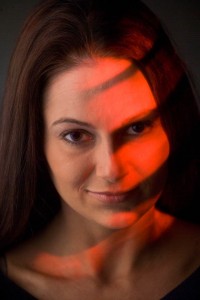
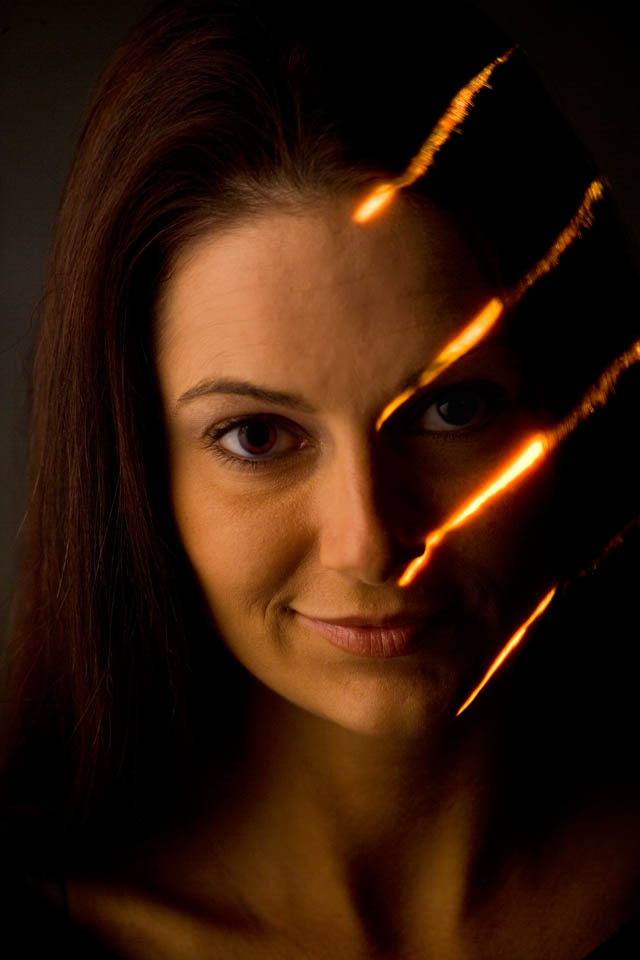
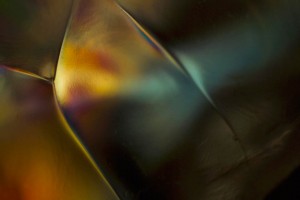
I had already seen work by Moses Sparks that used a slide projector to project images on top of the human body. You’ll understand that this was in the dark ages before Photoshop. So it suddenly occurred to me that I could get the precise lighting that I wanted with the slide projector. You can see an article about doing this kind of work, with film, at this link.

When I first started working with digital cameras one of the hardest things to give up was the creativity the slide projectors gave me. Because I could control the placement of the light, project color and images, and control the brightness of the light, the projectors were awesome tools. Digital cameras, the several I have owned anyway, can’t keep the shutter open for ten minutes, while you turn on and off timers.Red Light

Recently, I got an upgrade firmware package for my camera that improved the way it works with long exposures. While it is not a ten-minute exposure I can now do a shot at one second, before I had noise problems with anything longer than 1/20th of a second. So I can now use the projector to add special lighting effects to portraits and other shots. Really a great thing!White Light

Please check out my classes

An Introduction to Photographic Lighting

Portrait Lighting on Location and in the Studio

Business to Business: Commercial Photography

Thanks, John

November 27, 2009

Photograpy, just an art?

Filed under: Commercial Photography,Photography Communication — John Siskin @ 8:31 pm

When I was in college I used to have discussions with my roommate about photography and art. Pedro thought that photography wasn’t an art, and of course I thought it was. I have not gone over to Pedro’s point of view, but I want to point out that photography is more than just an art. Photography is a language. It is a way of communicating information, the information may be about anything from spark plugs to another planet. Painting, at least picture painting is only an art form. Could you imagine putting Pablo Picasso in a U-2 spy plane and having him overfly Cuba in the 1960ies? Perhaps we could send Thomas Kincade to Mars and have him send back mass-produced delicate canvases showing the light on Mars? Photography is much more than an art, it is integrated into the way we see and communicate.

I used a microscope to make this shot.

I used a microscope to make this shot.

Perhaps we should categorize photography as art or craft, and some things as both. Certainly photos taken by a spy plane are all about the technology, the craft, of photography. When someone hike 10 miles to get a shot of a waterfall they are probably try to create art. When someone spends all day in a studio taking a picture of a flower, it’s because they want to do art.

Buckhorn Falls in Angeles Crest. I have shot these falls several times.

Buckhorn Falls in Angeles Crest. I have shot these falls several times.

I think there are problems when we talk about certain kinds of photos: perhaps those we class as commercial art. If I spend all day taking a shot of a Harley-Davidson is that art? Honestly I don’t know. Perhaps it has to do with how I use the image, but that seems crazy. So if I sell a Harley poster it’s art but if I sell the shot to Harley it’s commercial? How about family portraits made for money or executive portraits? Most photographers do a lot of work that is hard to describe as art, but that doesn’t reduce the value of the work. Photographs can communicate, and be important, without actually being art.

Indian Motorcycle, click on image to see an article about this shoot

Indian Motorcycle, click on image to see an article about this shoot. You may need to right click to download.

Please check out my classes

An Introduction to Photographic Lighting

Portrait Lighting on Location and in the Studio

Business to Business: Commercial Photography

For information on shooting a motorcycle click

Thanks, John

November 18, 2009

Editing

Filed under: Looking at Photographs,Photography Communication — John Siskin @ 10:27 pm
Made with my custom Super-wide camera that uses a 28mm Nikkor lens on 120 film

Made with my custom Super-wide camera that uses a 28mm Nikkor lens on 120 film

Editing photographs is not only difficult, sometimes it is heart wrenching. Often each image seems a special and unique expression of your creative vision, how can you bare to part with even one. Get over it; this feeling is personal. No one else will ever experience your photographs the way you do. You remember the day, what happened before and after, you remember the client and you remember whether you got paid. The viewer doesn’t experience any of this, and for the photograph to be effective for the viewer you have to give him/her an image they can perceive in their own terms. That is the purpose of editing. I am going to attach some photographs I made to this blog. I designed and built the cameras that made these images. Because of that intimacy no one else will ever perceive the shot in the way I do. I hope they will like it, but they will inevitably have a different feel for the image. You may think editing is time consuming, and it is, but it will make you a better photographer.

The first step in editing is shooting. You need to shoot a lot of images. The last head shot job I did was around 300 images, but on a product job I might shoot only 2 images per product. Since we are now working in digital it is important to always shoot that extra image, or extra dozen images. It is always easier to shoot more than it is to go back. Although Eisenstaedt was famous for just taking a few shots for an assignment, we will do better not to emulate him.

Made with a custom camera that uses a Speed Graphic body and a 30mm lens

Made with a custom camera that uses a Speed Graphic body and a 30mm lens

In order to edit effectively we need to be ruthless. The first step is to remove everything that is clearly a mistake. With a portrait type job this is generally pretty easy. A mistake is an image that doesn’t grab your eye. A mistake is an image that is out of focus. A mistake is an image that is not focused on the subject. A mistake is an image that is blurry. If you shoot in raw a shot doesn’t have to be perfectly exposed, but if the shot is two stops from perfect exposure the shot is a mistake. If the strobes didn’t go off it is a mistake. Get rid of all this stuff, you should have plenty more images. I understand the Photoshop CS 15 will be able to fix everything, but that hasn’t happened yet. Photoshop 16 will be able to make your entire childhood perfect. Yes there are many mistakes you could fix, but you could spend days working in Photoshop. It is better to move through the process quickly. But you might as well save these images somewhere.

Step two is to get rid of everything that makes the subject look like a doofus. So that shot where the subject is checking out your shoes? Gone. At the same time you should part with all the shot where you awkwardly cut off body parts, hands cut in half and so on. Yes a lot of these shots could be saved. If you shot enough you shouldn’t need to save them.

I used a custiomized Graphlex SLR with a 180 soft-focus lens from Fuji

I used a custiomized Graflex SLR with a 180 soft-focus lens from Fuji

This should do it for negative editing; that is removing images because of problems. With any luck you have removed any where from 20 to 50 percent of your shots. Good. The other thing you have does is to look at all of the images that are left at least twice, well you went through the images twice didn’t you? That familiarity with your images is going to help a lot in the next go round. When you look through the images this time, look for images that are particularly fine, not just acceptable. They should have something special they may need cropping or other minor work, but the quality of your vision should be apparent. Also you want to look at the images as if you didn’t shoot them, as if you were seeing them not editing them. Look for an image that really connects. Certainly you can keep images you are unsure about, but you should end up with less than 10 percent of the images you started with.

Made with a digital camera mounted on a customized 4X5 Toyo C

Made with a digital camera mounted on a customized 4X5 Toyo C

I do this in Adobe Bridge, but there are certainly other programs that would do as well or better. As I go through each step I display the images larger, so that I get a better feel for the shots. The next step is to bring the images into Adobe Raw. Raw gives me a better look at each image, and I can begin the image processing. In raw I can do batch corrections on color, contrast, saturation and so on. I can also crop my images and do a variety of individual corrections. I will do my final choices on editing in raw. An image may get left behind at this point for a variety of reasons. Sometimes it is something I could fix, but don’t want to, or perhaps two images are very similar.

Finally I will open up all of the images that made it through raw in Photoshop. While I will rarely remove an image form the group in Photoshop I will perfect the images in Photoshop. This is where I will sharpen and do other detail work. Now finally, if the client asks for just there shots (not likely on a head shot) and I don’t have any personal reasons to make a choice, I can say enie minie moe….

Made with a lens I built

Made with a lens I built

You can download a copy of my article on building cameras at this link: www.siskinphoto.com/magazine/camerabuilding.pdf

November 8, 2009

Fluorescent Lights?

Filed under: Basic Photo Technique,Lighting Technique — John Siskin @ 5:16 pm

I have written elsewhere about fluorescent lights for photography. I didn’t say anything complimentary there, and I don’t intend to say much that is nice in this blog. So if you really love the new compact fluorescent lights as studio lights, it might be best to stop now. Still, the results of my tests were somewhat less dire that I had anticipated.

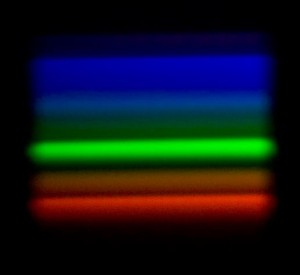
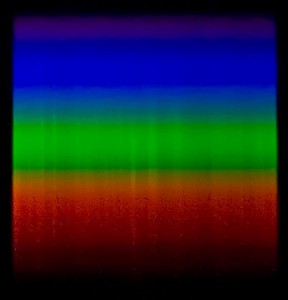
I was finally able to borrow one of these lights (a Top Lighting PB-85 120v 85 watt) so that I could run tests. I certainly didn’t want to buy one. I did several tests: first I used my spectrometer to look at the color distribution of the light, that is look at the light spread into a rainbow. My spectrometer is made from cardboard, a couple of razor blades and a small piece of diffraction grating. It is not a tremendously accurate device. It was not designed to be used with a camera. Still I am including pictures of daylight and of the fluorescent tube. You can see that daylight is continuous, smooth. The fluorescent has big bright lines and big dark lines, so no continuous spectrum. So the nature of this light is very, very different from daylight.

Fluorescent Spectrum, notice how the spectrum is banded rather than continuous

Fluorescent Spectrum, notice how the spectrum is banded rather than continuous

Sunlight Spectrum

Sunligth Spectrum, it is smoother in the spectrometer.

<p><P>

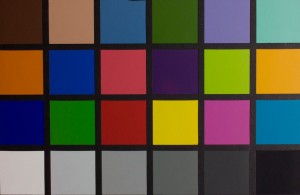
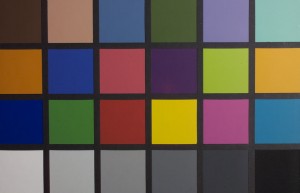
In my second test I made a picture of a Macbeth Color Chart with strobe light and the fluorescent light. The color of the two shots was very different, so I would not want to use the fluorescent light with my strobe. However when both shots were white balanced, in the computer, the shots were very similar. Really the fluorescent tube was a closer match than I would have expected, after the white balance. Please keep in mind that white balance will not enable to correct a shot for two different light sources.

Fluorescent version of the Color Checker, white balanced.

Fluorescent version of the Color Checker, white balanced.

Strobe version of the Color Checker, white balanced.

Strobe version of the Color Checker, white balanced.

<p>

In the third test I made 10 shots at a shutter speed of 1/180 to see if the light would be consistent on all the shots. I did not expect this to go well. Fluorescent tubes are supposed to vary with the cycling of alternating current electricity. In this country the power cycles 60 times a second. So 1/180 should be only part of a cycle. In this shot the color did not vary by as much as 1%, really quite impressive. Since the shots all looked the same, I am not including them.

Finally I compared the overall quantity of light to a 600 watt Smith Victor quartz light. The quartz light was 8 times more powerful than the fluorescent  light. Although I could use an array of these lights to increase power, I could not get the power and hard light effect that I can get from quartz lights.

On the whole the light performed better with color than I had anticipated. However the unusual spectrum leaves me suspicious that there will be problems in the real world, especially with fabrics. Certainly the low power disappoints me, but if your camera performs well at high ISO levels, this may be less of a problem for you.

Thanks, John

Please check out my classes

An Introduction to Photographic Lighting

Portrait Lighting on Location and in the Studio

Business to Business: Commercial Photography

October 26, 2009

FABULOUS NEW BOOTY LIGHT!!!!!

Filed under: Basic Photo Technique,Lighting Technique — John Siskin @ 5:36 pm

Sand Canyon HomeThere are a lot of lighting products on the market, and many of them are mostly hype. There are only so many ways you can manipulate light, and few of them are new. So you can make a light source larger with an umbrella, soft box or a light panel. If you want to put light in just one part of an image you will probably need a snoot, grid spot, or barn doors. There are other ways to do these things, but they do about the same things. Changing the name doesn’t change the product much.
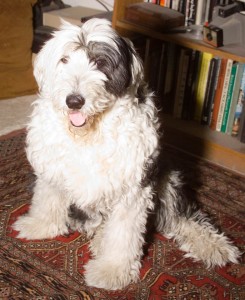
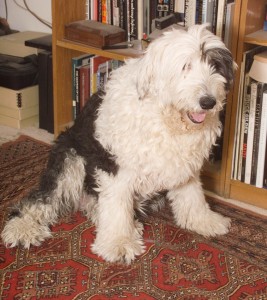
One of the things people have tried to do for a long time is to make the little light source on a camera mount strobe, like the Nikon SB 900 or the Canon 580, act like a bigger light source. When you have a large light source the light hits the subject from all points of the source, so you get less shadowing and softer transitions between highlight and shadow. Vivitar introduced a bounce card for the 283 strobe in about 1976, so the manufacturers have been at this for a while. The Vivitar bounced all the light off a card, simple but didn’t change things all that much. Later designers bounced light off the walls of the room, so that there was a lot of fill light. This was more effective. So you see products from Sto-fen, Lumiquest and Gary Fong. There are differences in the way they move the light around and where they move the light, but the idea is similar: some light goes directly to the subject and some is bounced. Now this idea works, and it is probably the best idea for event photography, and will work well in other situations.

Direct flash

Taken with a direct flash. See the hard shadows and the high contast? What a difference the BOOTY LIGHT makes!!!

Booty light shot!!

Booty light shot!!

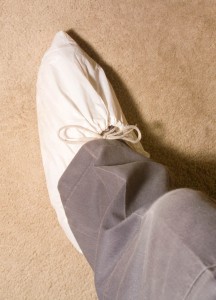
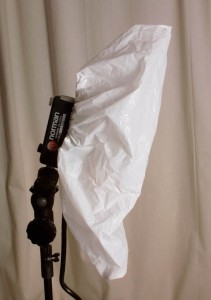
I have decided to introduce a NEW and FABULOUS way to spread light from a camera mount strobe, or many other kinds of strobes. Did I say it is NEW and WONDERFUL? I have to make sure I use enough hype here. It is the BOOTY light, yes this FABULOUS new light is actually a shoe covering. You can by TWO for only 79¢, YES less than a dollar. That makes these WONDEFUL, NEW units less than one half of one per cent as expensive as a Gary Fong Lightsphere II. Didn’t I say this is FABULOUS?

Seriously these are useful tools. I have used them on several occasions, because I needed to be quick of I needed a camera mount strobe to add to a monolight on a stand. In addition to the before and after shots, necessary to introduce something as WONDERFUL as this, I have a shot from a recent project where I used the booty light and just one other strobe with an umbrella. I had to work quick on this shoot. So think about it: Don’t you need a Booty light? Here’s a link: http://www.envirosafetyproducts.com/product/Tyvek-Shoe-Covers.html You can also buy them in quantities of over 100, even CHEAPER!!!

Thanks, John Siskin

Ps. One size fits mostly all! WONDEFUL!!!

Pps. Collapses for easy storage and WILL KEEP THE CARPETS CLEAN!!

My classes:

An Introduction to Photographic Lighting

Portrait Lighting on Location and in the Studio

Business to Business: Commercial Photography

Booty Light on a Norman 200B, one size fits almost all!!

Booty Light on a Norman 200B, one size fits almost all!!

Booty Light on shoe, It's dual purpose!!

Booty Light on shoe, It's dual purpose!!

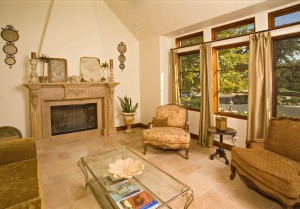
Another location shot with the BOOTY LIGHT the booty light is the only light on the outside of thedoor, the strobe with the umbrella is in the room past the door.

Another location shot with the BOOTY LIGHT the booty light is the only light on the outside of the door, the strobe with the umbrella is in the room past the door.

« Newer PostsOlder Posts »

Powered by WordPress